- Published on
From Scribbles to Stunning Sketches: My Journey with Stable Diffusion
- Authors

- Name
- Albert Alam
- Name
- Sparrow Hawk
- @sparrowhawk
From Scribbles to Stunning Sketches: My Journey with Stable Diffusion
I still remember the first time I tried turning a vague idea into a sketch with Stable Diffusion. I typed a clumsy prompt: “futuristic city, pencil sketch”, pressed generate, and… wow, the AI delivered something far beyond my crude imagination. That moment felt like discovering a magic wand for sketching.
AI-powered sketch design has a reputation for being cold and mechanical, but in my experience, it’s surprisingly playful. The trick is knowing how to guide it, and maybe laughing a bit when it produces a robot riding a pizza in the background.
Why Stable Diffusion Works for Sketch Design
Sketches are all about iteration. Traditionally, creating multiple variations of the same idea was exhausting. Stable Diffusion changes the game. You can experiment with composition, lighting, and style in minutes.
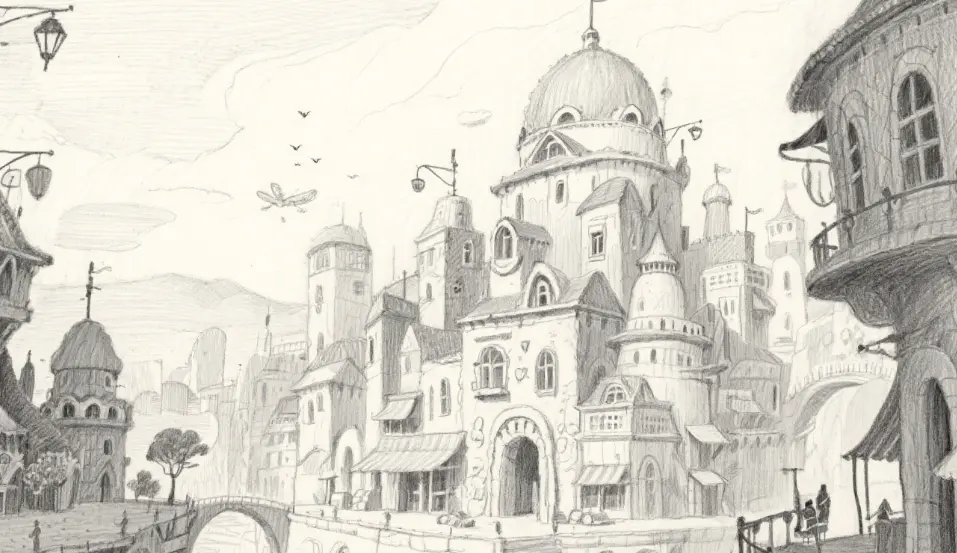
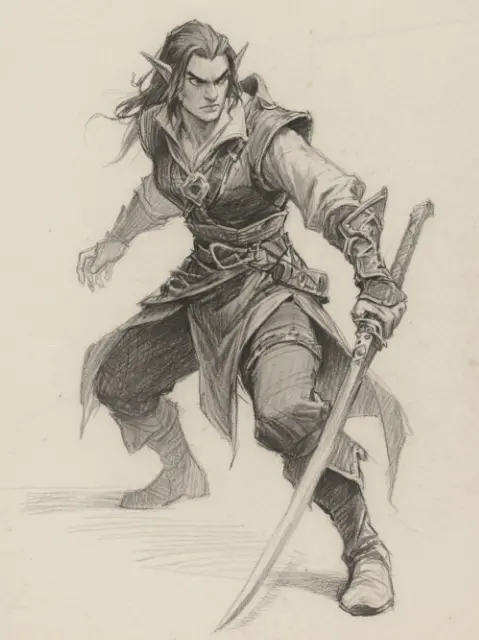
This tool doesn’t replace the artist; it multiplies creativity. I’ve found it especially useful when brainstorming new characters. A few descriptive words—“tall, mischievous, fantasy rogue”—and suddenly I have five unique faces staring back at me.
My Step-by-Step Creative Process
Here’s how I approach sketch design with Stable Diffusion, in a way that feels more like play than work:
- Start with a Story: Every sketch has a story. Even if it’s a tiny backstory, feeding that into your prompt gives the AI a richer context.
- Experiment Freely: Generate several variations without judging them. Some outputs might be weird, but weird can spark new ideas.
- Refine and Remix: Pick the promising ones, tweak prompts, and run another iteration. Layering elements separately gives more control.
- Add Personal Touches: I love sketching over AI outputs—adjusting lines, enhancing textures, and adding subtle personality traits.
- Reflect and Document: Keep notes on which prompts worked best. This makes future projects faster and more precise.
Lessons Learned the Fun Way
Using AI in sketching isn’t just about speed—it teaches patience and flexibility. One day, I asked Stable Diffusion to create “a peaceful forest clearing,” and it produced something that looked like a cat convention in the trees. I laughed for ten minutes but then realized: unexpected outputs often spark the best creative directions.
Some key insights I’ve gained:
- Be precise, but not too rigid: Descriptive prompts matter, but leave room for serendipity.
- Iterate, iterate, iterate: Each pass refines the idea; don’t settle for the first output.
- Use layering: Generate characters, props, and backgrounds separately for better control.
- Post-process wisely: Even small tweaks in digital tools can elevate sketches to a professional level.
- Embrace playful mistakes: AI surprises often become the most memorable elements.
Final Thoughts
Integrating Stable Diffusion into sketch design has been both a creative and educational journey. It accelerates ideation, introduces delightful surprises, and expands what’s possible in sketching. But it also reminds me that human intuition, taste, and humor are irreplaceable. AI sketches may be fast, but the artist’s vision is what turns them into compelling art.
If you’re curious about exploring sketch design with AI, start small, experiment boldly, and don’t forget to enjoy the unexpected moments.