- Published on
Stable Diffusion for Sketch Design: A Practical Guide to Creating High-Quality Sketches
- Authors

- Name
- Albert Alam

- Name
- Sparrow Hawk
- @sparrowhawk
Stable Diffusion for Sketch Design: A Practical Guide
Creating sketches has traditionally been a time-consuming process. With AI tools like Stable Diffusion, artists and designers can accelerate the sketching process while exploring new creative directions. This guide provides practical steps, keyword strategies, and workflow tips to help you create high-quality sketches efficiently.
Step 1: Define Your Sketch Concept
Before generating any sketch, you need a clear concept. Stable Diffusion responds well to descriptive prompts. Include key elements such as:
- Subject (e.g., "fantasy character," "urban landscape")
- Style (e.g., "pencil sketch," "cross-hatching")
- Mood (e.g., "dynamic," "serene")
- Composition hints (e.g., "foreground focus," "balanced perspective")
For example, a good prompt might be: “pencil sketch of a futuristic city, soft shading, balanced composition, concept art style.”
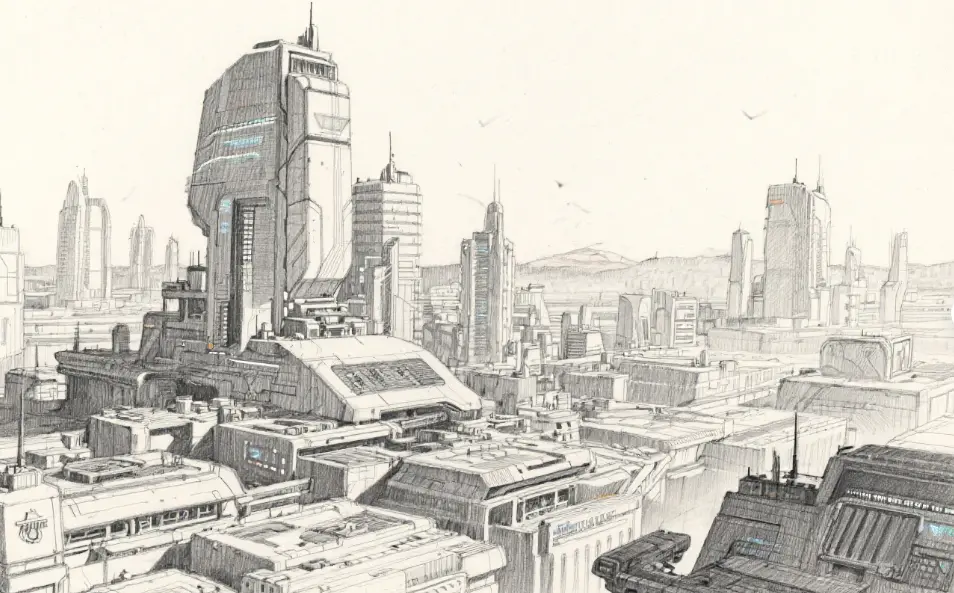
Step 2: Generate Multiple Variations
Stable Diffusion works best when you generate several outputs per prompt. Don’t rely on the first result. By producing 5–10 variations, you can:
- Compare composition and detail
- Select elements to combine
- Identify unexpected ideas that improve your concept
Generating multiple variants increases the likelihood of producing a sketch that meets your creative vision.
Step 3: Refine Using Iteration
Once you have initial outputs, refine the sketches:
- Adjust prompts to emphasize desirable elements (e.g., "more detailed shading" or "dynamic perspective")
- Combine parts of different outputs for a composite sketch
- Use layering techniques to generate backgrounds, characters, and props separately
Iterative refinement ensures high-quality sketches with precise control over details.
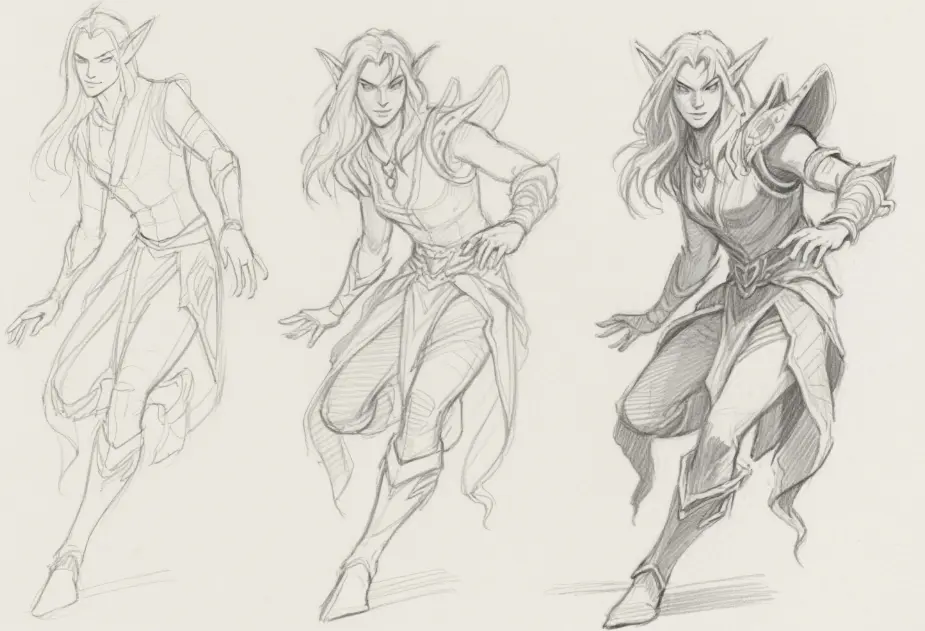
Step 4: Add Manual Enhancements
AI-generated sketches are powerful, but the human touch is essential:
- Fine-tune linework and textures
- Add subtle hatching or cross-hatching
- Incorporate personal artistic style
Manual enhancement helps sketches stand out and appear polished, bridging AI capabilities with human creativity.
Step 5: Optimize for Flow and Readability
Stable Diffusion sketches should also be evaluated for visual clarity:
- Maintain clean composition
- Ensure focal points are distinct
- Avoid cluttered details
These considerations make your sketches more appealing and readable, especially for concept art or presentations.
SEO and Keyword Strategy
To maximize exposure online, integrate keywords naturally:
- Primary: "Stable Diffusion," "sketch design"
- Secondary: "AI sketching," "digital sketch workflow," "concept art sketches"
- Long-tail: "how to use Stable Diffusion for sketches," "AI-assisted pencil sketch tutorial"
Use keywords in headings, prompts, and image alt-text to improve SEO while keeping the content natural and readable.
Conclusion
Stable Diffusion transforms sketch design by accelerating workflows, encouraging experimentation, and supporting iterative refinement. By combining precise prompts, iterative outputs, and manual enhancement, artists can achieve professional-quality sketches efficiently. For anyone looking to leverage AI in creative projects, mastering this workflow is essential.