- Published on
Mastering Sketch Design with Stable Diffusion: From Concept to Creation
- Authors
- Name
- Albert Alam
- Name
- Sparrow Hawk
- @sparrowhawk
Mastering Sketch Design with Stable Diffusion: From Concept to Creation
Sketching has always been a fundamental part of visual storytelling. From early concept art to detailed design drafts, sketches give life to imagination in its purest form. Over the past few years, AI-powered tools like Stable Diffusion have revolutionized how we approach sketch design. I want to share my journey of integrating this tool into my workflow and how it can elevate your creative process.
Understanding Stable Diffusion in Sketch Design
Stable Diffusion is a text-to-image model that allows artists to generate images from descriptive prompts. Its strength lies in the ability to translate abstract ideas into visual sketches quickly. I remember struggling with a complex concept for a character design. By feeding descriptive prompts into Stable Diffusion, I could instantly explore multiple variations without wasting hours on initial drafts.
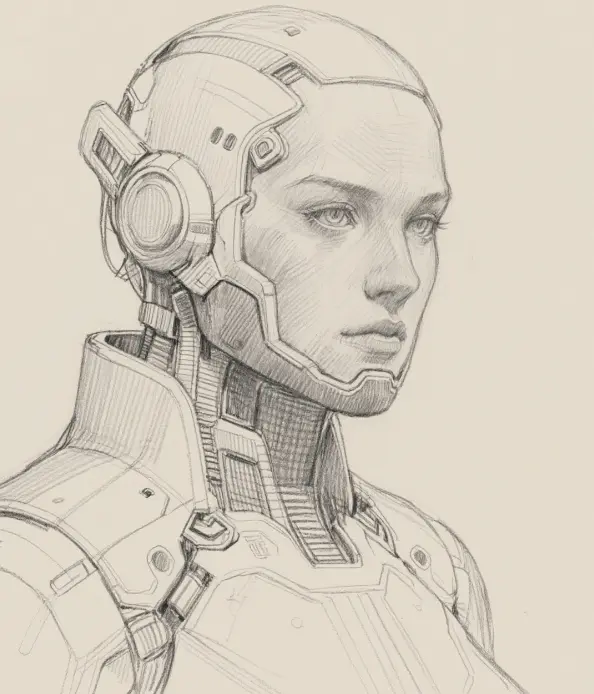
This flexibility has been a game-changer, especially for iterative design. You can experiment with different poses, expressions, or environments without starting from scratch each time.
The Creative Workflow: From Idea to Sketch
Integrating Stable Diffusion into a sketch workflow requires strategy. Here’s the process I follow:
- Define the Concept Clearly: Start with a short descriptive prompt. Avoid vague terms. For instance, instead of "a house," use "cozy cottage in autumn forest, pencil sketch style, soft shadows."
- Generate Multiple Variants: Don’t settle for the first output. Generate 5–10 variations. You can mix and match elements later.
- Refine with Iteration: Select the sketches closest to your vision. Feed them back into the model with adjusted prompts to refine details.
- Enhance Manually: While AI is powerful, human touch adds uniqueness. I usually add fine linework, hatching, and personal style enhancements.
- Document the Evolution: Keeping a record of prompts and outputs helps understand which keywords produce desired effects, enhancing efficiency in future projects.
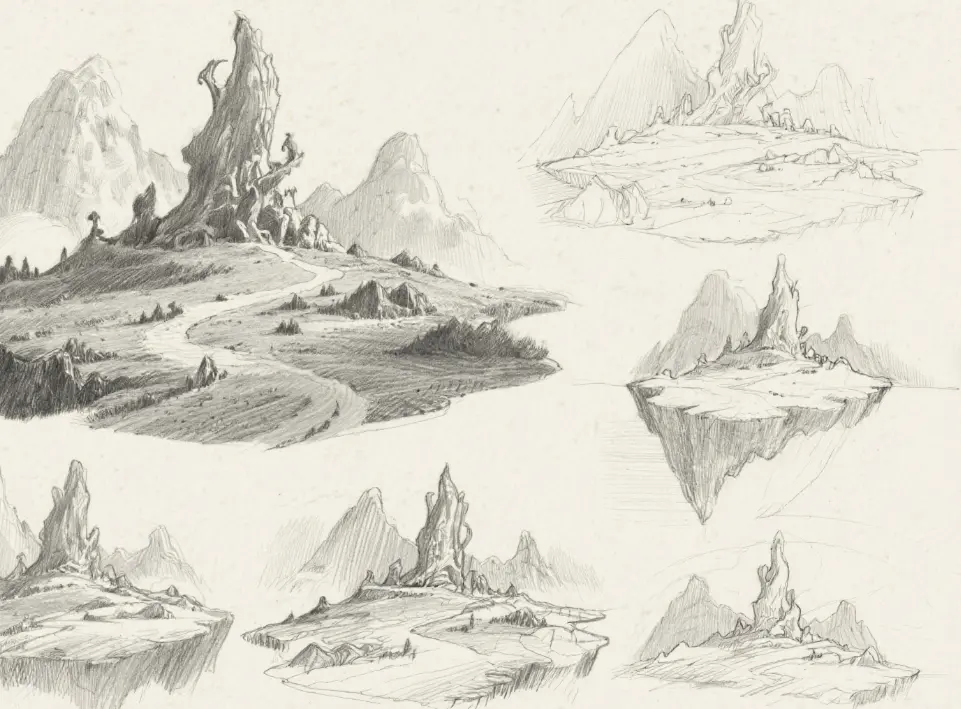
Tips for Maximizing Quality in Sketch Outputs
Through my experience, I’ve discovered some practical strategies:
- Be Specific in Prompts: Keywords like "cross-hatching," "soft shadows," or "dynamic pose" can significantly impact results.
- Mind the Composition: Ask for "balanced composition" or "foreground and background separation" to avoid cluttered sketches.
- Layering is Key: Generate separate elements (characters, props, background) individually, then combine them for more control.
- Embrace Serendipity: Sometimes unexpected results spark creativity. Don’t discard outputs too quickly.
- Post-processing Matters: Minor edits in Photoshop or Procreate can elevate sketches from good to professional-grade.
My Personal Experience and Reflection
Using Stable Diffusion has made sketching faster, yet more deliberate. I recall spending an afternoon exploring character expressions and ending up with a set of designs that would have taken a week manually. The key, however, is understanding its limitations. Complex perspective or hyper-realistic details can sometimes fail, so it’s better to combine AI outputs with traditional sketching skills.
The journey has also taught me patience and adaptability. Sketch design isn’t just about creating visuals—it’s about iterating, exploring, and discovering possibilities that may not have existed in your imagination initially.
Conclusion
Stable Diffusion is not a replacement for human creativity; it’s a tool that amplifies it. By embracing iterative workflows, careful prompting, and manual refinement, artists can produce sketches that are both efficient and expressive. For anyone looking to elevate their sketch design process, this AI-powered approach is worth exploring.